How to Protect Your Privacy in Gaming Communities is essential knowledge for anyone who plays, streams, or socializes online. Gamers face targeted scams, doxxing, and persistent data collection that can turn a hobby into a security headache. This guide gives concise, practical steps to reduce exposure, secure accounts and devices, and communicate safely across chat, voice, and social features so players can enjoy games with fewer surprises.
Key Takeaways
- Protecting your privacy in gaming communities starts with using strong, unique passwords and enabling two-factor authentication on all gaming accounts.
- Avoid sharing personal information such as real names, addresses, or financial details in chats, voice channels, and social features to reduce risks like doxxing and harassment.
- Download games and mods only from official sources to prevent malware infections and credential theft.
- Use a separate gaming email and alias to isolate your gaming identity and minimize damage if accounts are compromised.
- Review and adjust privacy settings on platforms to restrict unsolicited friend requests, direct messages, and voice channel access for safer communication.
- Always verify new contacts and be suspicious of unsolicited links or friend requests to avoid phishing and social engineering attacks.
Why Privacy Matters For Gamers And The Risks To Watch For
Fact: Gaming platforms collect identity, location, payment, behavioral, and sometimes biometric data that can be abused when exposed.
Gaming companies log playtime, chat transcripts, transaction records, IP addresses, and device fingerprints. When a breach happens, those records can reveal real email addresses and payment details. In 2023–2025 incident reviews, exposed email-password pairs led to credential stuffing on unrelated services and financial fraud in at least dozens of public cases. Players should expect large platforms to hold sensitive records and to plan accordingly.
Risk: harassment and doxxing. A common attack starts with profile scraping: someone pieces together a player’s username, forum posts, social handles, and then finds a real-world identity. That leads to targeted harassment, swatting, and impersonation campaigns. Parents should note that children’s accounts often expose school or home details through casual chat, predators exploit that.
Risk: malware and credential theft. Pirates distribute modified game clients, cracked mods, or fake “coach” tools that request logins. One realistic scenario: a player downloads a “performance overlay” from an unofficial site and loses account access after entering credentials. The attacker then sells access or empties linked wallets.
Concrete numbers: platform telemetry shows millions of chat messages daily: even a small percentage of malicious links yields thousands of phishing attempts each month on big servers. That scale makes automated scanning imperfect, human vigilance still matters.
Practical warning: treat every unexpected friend request, DM with a link, or too-good-to-be-true giveaway as suspicious. Small details, like a mismatched profile picture, poor grammar, or an account created two days ago, often reveal scams early. For policy and platform checks, Unfgaming maintains resources that summarize community safety features: hobbyists can compare platform protections using the site’s overview of news and community tools.
Secure Your Account, Identity, And Devices
Fact: Strong authentication and a separate gaming identity cut breaches and impersonation risks dramatically.
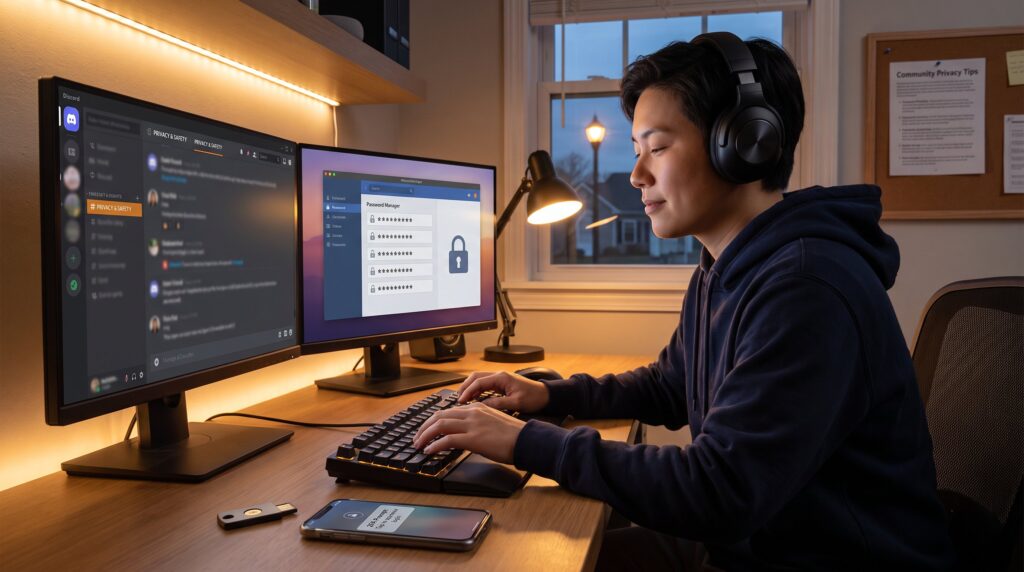
Start with passwords. Use a unique, long passphrase for each gaming, email, and store account. A password manager makes it feasible to have different credentials across Steam, Epic, console networks, and chat services. Two‑factor authentication (2FA) should be enabled on every account that supports it: hardware keys (FIDO2) block most remote takeover attempts and are worth the small cost for competitive players and streamers. It’s worth pairing this with the community overview for additional context.
Keep a dedicated gaming email and alias. Players who separate their main work or banking email from gaming accounts reduce cross-service damage if a platform leaks data. For profile names, avoid real surnames, birth years, and hometowns. A useful trick: reserve a consistent alias for public play and a private account for friends and teams.
Harden devices. Install reputable antivirus and enable operating system updates on PC and consoles. Only download games, updates, and mods from official stores or developer-sanctioned hubs: sideloaded packages and torrent sources account for a disproportionate share of credential-stealing malware. If a mod requires an installer, verify the publisher on developer pages and community threads before running it.
Back up and recover. Keep recovery codes for 2FA stored offline or in an encrypted vault. Test account recovery methods with non-critical accounts to understand how platforms handle lost access: some providers demand ID checks that can be lengthy.
Practical link: When deciding where to join communities or where to read about platform protections, players can consult Unfgaming‘s community and resource overview to compare features and safety tools. For targeted guidance on reducing IP leaks and swatting specifically, Unfgaming’s article on chat privacy collects step-by-step fixes.
Tools and numbers: a hardware security key costs about $20–$50 and can prevent over 99% of automated account takeovers. A quality password manager subscription often costs under $40 per year and saves dozens of hours otherwise spent resetting passwords.
Communicate Safely In Chats, Voice, And Social Features
Fact: Most privacy breaches in communities start with an overshare in chat, a careless stream, or an unvetted friend request.
Limit what is said in public. Players should never reveal real name, home address, phone number, school, workplace, or financial details in chats or voice. Even casual mentions, “I live in Westfield”, can be combined with other crumbs to find a person. When talking about victories or stats, keep specifics to the game and avoid adding real-world identifiers.
Set privacy controls. Use server and friend privacy settings to restrict who can send friend requests, direct messages, or join voice channels. On Discord and similar apps, disable server DMs and auto-join features in large public servers to reduce unsolicited contacts. Tournament teams should use invite-only group settings and require verification for new members.
Be cautious with streaming and screen sharing. Before going live, close email clients, banking tabs, messaging apps, and any window that shows account names. One documented mistake: a streamer accidentally showed a password manager notification that revealed an email address and truncated password hint, that alone allowed an attacker to start a credential reset.
Watch for phishing and social engineering. Fake support accounts often mimic moderators and ask players to verify login credentials or click specially crafted links. In chats, a typical play: an attacker posts a shortened link that points to a convincing replica of a login page. Always inspect link destinations by hovering (on desktop) or using preview tools, and never enter credentials into pages reached from chat links.
Verify new contacts. If someone claims to be a moderator, ask for confirmable proof: the official moderator badge, a message from an official server bot, or cross-check on the platform’s moderation roster. For streamers recruiting team members, require a short onboarding call and verification steps before sharing private server access.
Relevant readings: Players joining new communities safely will find a practical checklist in Unfgaming’s guide about joining online groups. For rules that reduce abusive behavior, refer to the site’s article on community guidelines that improve gaming spaces.
External validation: For context on why PC privacy matters beyond platform promises, a primer at PC Gamer outlines what systems disclose about users and why protections matter.
Conclusion
Insight: Privacy in gaming is not a single setting, it’s a set of small, consistent habits that together lower risk and preserve fun.
By minimizing shared data, using strong authentication, and communicating with care, players reduce the chance of doxxing, fraud, and harassment. Communities and platforms still matter: pick servers with clear rules and moderation, and consult curated resources when choosing where to play. For practical community tools and player resources, Unfgaming hosts a complete guide to helpful news and community features that links these best practices into real-world places to play safely.