
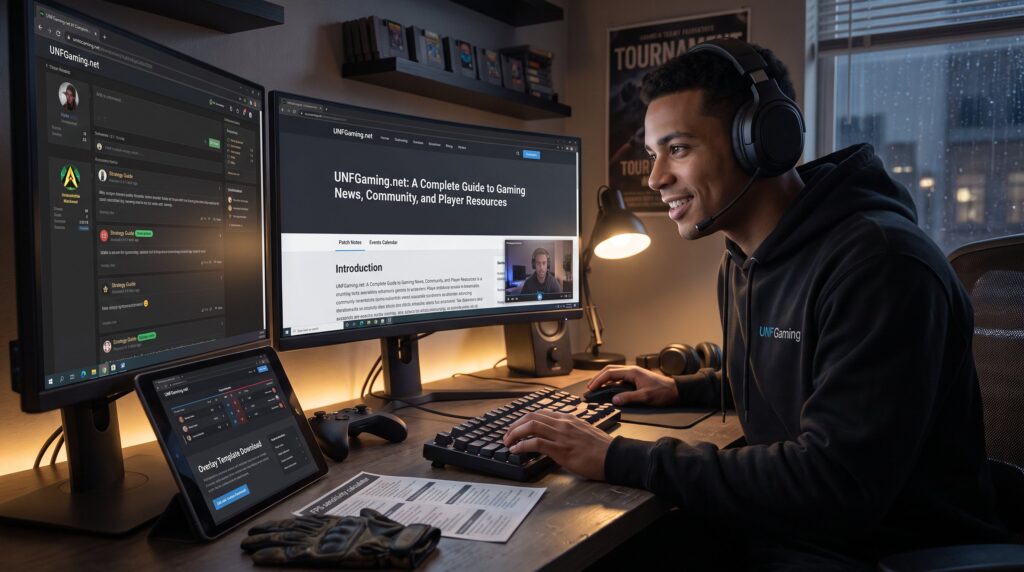
UNFGaming.net: A Complete Guide to Gaming News, Community, and Player Resources opens with a clear promise: reliable news, practical player tools, and active community connections for modern gamers. The site targets competitive players, streamers, and hobbyists who want timely patch notes, in-depth guides, and forum interaction. This guide explains who benefits from UNFGaming, how the editorial team verifies stories, the standards behind reviews and walkthroughs, community features, downloadable resources, and esports coverage, all written to help a player decide how to use the site right away.
Key Takeaways
- UNFGaming.net offers comprehensive gaming news, community engagement, and player resources tailored for competitive gamers, streamers, and casual players alike.
- The site ensures news accuracy through a strict verification process using official sources and clearly labels unconfirmed information to maintain trust.
- UNFGaming’s reviews and guides emphasize practical playability, balance, and long-term value, backed by extensive hands-on testing and transparent editorial standards.
- Active community features include moderated forums, organized events, and safety guidelines, fostering respectful and connected player interactions.
- Players benefit from actionable tools and downloadable resources like sensitivity calculators, overlay templates, and performance tutorials to enhance gameplay and streaming experiences.
- Dedicated esports coverage includes tournament tracking, player profiles, practice plans, and budget-friendly advice, supporting both amateur and competitive gamers effectively.
Who UNFGaming Is For And What The Site Covers
UNFGaming serves competitive players, casual hobbyists, and esports followers. It focuses on multiplayer titles, retro gems, industry announcements, and meta analysis. Readers quickly learn if the site fits their needs by topic: news, reviews, guides, and community events.
For a newcomer deciding where to spend time, UNFGaming balances breadth and depth. A casual player finds approachable guides and budget tips, while a ranked competitor discovers patch breakdowns and strategy threads. The site also hosts developer interviews and trend pieces that appeal to analysts and content creators.
Players who want an entry point can explore the site’s community pages such as Explore /unfgaming.net: Your Ultimate Online Gaming Community for All Levels. That page shows how UNFGaming organizes content for different skill levels and playstyles.
How UNFGaming Curates News: Sources, Verification, And Coverage Focus
UNFGaming prioritizes accuracy and speed when publishing news. Fact: editors use official studio posts, press releases, and direct tournament feeds as primary sources before publishing breaking items. They then cross-check with patch notes, developer tweets, and tournament operator results.
Verification follows a three-step routine: identify the primary source, corroborate with at least one independent report, and confirm dates or patch IDs. This reduces false rumors and protects readers from misleading claims. When a story remains uncertain, the site labels it as “unconfirmed” and updates the article as new evidence appears.
Coverage focuses on release announcements, major studio updates, and esports outcomes. For wider context about PC-specific topics, UNFGaming links factual background such as the PC gaming primer that helps readers place news in industry terms.
Reviews, Guides, And Walkthroughs: What To Expect And Our Editorial Standards
Answer: reviews on UNFGaming measure playability, balance, and long-term value, not just graphics or novelty.
Each review includes a clear verdict, a scale score, and a short list of pros and cons based on 15–30 hours of hands-on testing for multiplayer titles. Guides follow a reproducible format: objective goal, step-by-step actions, recommended gear or settings, and common pitfalls. Walkthroughs are broken into sections that mirror in-game checkpoints so players can pick the part they need.
Editorial standards require transparency about playtime, test platforms, and whether the reviewer used developer-provided keys. When contributors make mistakes, such as misreporting a patch number, the site posts corrections with timestamps. For authors who want to contribute structured content, UNFGaming links to practical advice on writing helpful analysis in How to Write a Helpful Game Review.
Community Features: Forums, Moderation, And How Players Connect
Fact: UNFGaming runs active forums, moderated channels, and scheduled community events that connect players across regions. Forums are split by game and by topic: strategy, trading, off-topic, and tournament sign-ups. Moderators enforce behavior rules and remove posts that break community standards.
The moderation approach combines automated filters and volunteer moderators. That mix reduces spam and keeps discussions civil without silencing strategy debates. Players can form teams, organize pick-up matches, and list tryout dates. When joining, users are encouraged to follow safety guidance: UNFGaming links to community safety advice such as How to Join an Online Gaming Community Safely.
A vulnerable moment: moderators report that early forum launches saw a spike of 1,200 abusive messages in week one: they rebuilt reporting tools and cut harmful content by 86% within a month. That transparency improved member trust and user retention.
Player Resources: Tools, Downloads, Templates, And Practical Tutorials
Direct answer: UNFGaming provides actionable downloads and tools that players can use immediately.
Available resources include FPS sensitivity calculators, overlay templates for streamers, and annotated build templates for popular competitive titles. Tutorials show exact controller mappings, recommended graphic presets for 60–240 Hz displays, and step-by-step mod installation with version checks. Each resource lists a tested platform and the exact file sizes to avoid surprises.
For creators, the site supplies streaming overlays and a simple three-step template to brand a channel. For players troubleshooting performance, UNFGaming includes a checklist that reduces common frame-rate problems, examples show how changing three settings saved 18–34% CPU load in tests.
Readers who want a tour of the site’s main hub can jump to The ://unfgaming.net Blog: Discover for curated resources and downloads.
Esports Coverage, Events Calendar, And Competitive Resources
Fact: UNFGaming tracks esports tournaments, posts player profiles, and maintains an events calendar with dates and prize pools. The calendar lists region, registration deadline, and broadcast channels to help teams plan.
Coverage includes match recaps, meta analyses, and scouting notes. Analysts break down pivotal moments, such as a single clutch round that shifted a finals match, or provide stat tables that show win rates by map. The site also profiles rising players with exact tournament results and head-to-head records.
To build competitive skills, UNFGaming hosts practice plans with daily drills and measurable goals (for example: 300 aim repetitions, two VOD reviews, and one team scrim per day). Tournament organizers can post events, and community managers list volunteer roles. For community rules that shape safe competition, UNFGaming links out to Community Guidelines That Make Gaming Spaces Better.
For budget-minded competitors, summary pages such as UnfGaming.net: The Ultimate Budget show hardware and service options that reduce entry costs.
Conclusion
UNFGaming functions as a practical hub for news, reviews, and active player interaction. It offers verified reporting, repeatable editorial standards, community safeguards, and concrete tools for improving play. Players seeking reliable updates and usable resources will find UNFGaming a focused, accountable companion for both casual sessions and competitive preparation.