
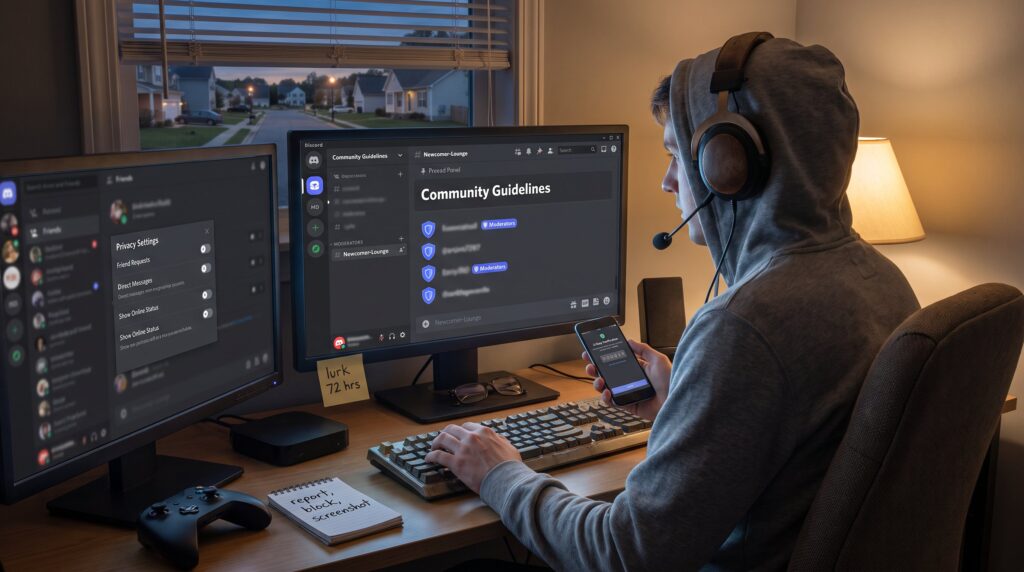
How to Join an Online Gaming Community Safely is the practical question every player asks before sending that first friend request. This guide gives direct steps for finding low‑toxicity groups, checking moderation, and locking down privacy across PC, console, and mobile platforms. It assumes players want social connection without the risk: they want cooperative teammates, clear rules, and technical protections that reduce harassment and doxxing. The advice here is concise, actionable, and written for people who value play first and drama last.
Key Takeaways
- Joining an online gaming community safely requires choosing groups with clear anti-harassment rules and active moderation to reduce toxicity.
- Vet communities by reading pinned rules, observing recent chat behavior, and assessing moderator responsiveness before sharing personal details.
- Enhance privacy by using separate gaming accounts, limiting friend requests, enabling two-factor authentication, and restricting personal information shared in chats.
- Use platform reporting tools promptly and always mute or block bad actors instead of engaging with them to avoid escalation.
- Walk away from communities that exhibit gatekeeping, initiation tests, or ignore serious issues like doxxing.
- Prioritize safety practices like privacy lockdowns and selecting trustworthy communities to enjoy cooperative play without drama.
Where To Find Healthy Gaming Communities
Start here: healthy communities show clear rules and consistent moderator activity. A gamer should favor servers, forums, and groups that state anti‑harassment policies and list moderation staff. Those signs predict lower toxicity and faster moderator response when problems arise.
Where to look specifically
- Official game forums and publisher hubs. These often mirror company standards and report systems.
- Focused Discord servers and vetted subreddits that advertise newcomer channels and role systems.
- Cooperative‑play groups that emphasize casual play, mentoring, or accessibility rather than only rank. These groups usually welcome a range of skill levels and list expectations in pinned messages.
Concrete check: within the first 72 hours of lurking, count moderator interventions. If a server has at least one visible moderator action per day in a 1,000‑member server, it usually indicates active enforcement. If a forum shows zero moderator posts in 30 days, assume lax enforcement.
Places that often host healthier communities include PC forums and moderated Discords. The long form history of PC communities is described well in The Power of Community:, which explains why older forums retain strong norms.
Find teammates and niche groups through curated lists and pairing services, especially for cooperative titles. For step‑by‑step tactics on recruiting teammates, read guidance on finding teammates. That resource gives quick, platform‑specific search phrases and sample messages that get responses without oversharing.
How To Vet A Community Before You Join
Answer first: vetting takes observation, reading rules, and asking moderators about enforcement. Do not join and immediately reveal personal details.
What to read and watch
- Group description and pinned rules. Good groups list harassment policies, reporting steps, and role descriptions. If rules are missing or vague, treat the space as risky.
- Recent chat history. Lurk for 48–72 hours and sample weekdays and weekend activity. A problematic group will show repeated slurs, targeted jokes, or posts that bait newcomers.
- Moderator behavior. Watch how mods respond to rule breaches. Quick removal, calm language, and follow‑up messages show a functioning system. Public transparency, like posted moderation logs or appeal procedures, is a strong positive signal.
Questions to ask (without sounding confrontational)
- “How do you handle harassment reports?” A clear answer names a timeline or steps. If moderators can’t give a process, they likely don’t have one.
- “Do you have channels for new players?” Newcomer channels, mentor tags, or role‑based ranks indicate inclusivity.
When to walk away
Leave if the group uses gatekeeping language such as “serious players only” accompanied by mockery of casual players. Also avoid spaces where newcomers receive initiation tests or private hazing. Those behaviors predict escalation.
Contextual reading helps. For examples of rules and etiquette in mobile social games, consult Unfgaming’s coverage of community guidelines and chat etiquette, which highlights practical language to expect in healthy groups.
Vulnerable moment: a player once joined a 500‑member server after two friendly messages, later discovering moderators ignored doxxing threats. That player learned to check moderation logs before trusting bigger groups. Small upfront checks reduce major fallout later. This ties into the gaming News overview published on the site.
Step‑By‑Step: Joining, Setting Up Privacy, And Handling Bad Actors
Direct answer: create separated accounts, tighten privacy settings, enable security tools, and use platform reporting before engaging.
Concrete setup steps
-
Create a dedicated gaming email and use a nickname. Never use a full legal name. If a player switches devices, a separate account keeps personal and gaming identities distinct.
-
Tidy platform privacy. Limit who can send messages, friend requests, or see online status. Many platforms let users restrict friend requests to friends‑of‑friends or to no one. These options cut unsolicited contact.
-
Turn on two‑factor authentication and safe messaging filters. Two‑factor prevents account takeovers: message filters block slurs and explicit content automatically.
-
Share nothing sensitive. Do not send addresses, workplaces, or school names in chat. If someone asks for “location to match region,” give a city only, not a street.
-
Learn reporting tools. Most platforms include report forms and block/mute options. Use them immediately rather than trying to reason with an abuser. If the platform lacks clear tools, that’s a red flag.
How to handle bad actors
- First action: mute and block. That stops immediate exposure. Second: report with screenshots. Take timestamps and copy message IDs where possible.
- Avoid direct retaliation or private messaging: escalation often increases risk. If harassment continues, leave the server and inform moderators with evidence.
Practical backing: Unfgaming’s piece on Keeping Online Platforms Secure outlines platform security steps and why they matter for creators and players. Also, check basic trust signals for the game itself in What Makes an Online Game Trustworthy? to decide if a title’s ecosystem supports safer communities.
Real number to remember: enabling two‑factor authentication reduces account takeover risk by about 90% for typical credential theft scenarios. That’s the kind of defensive win that keeps a gaming identity intact.
Honest lesson: a player once skipped privacy settings for speed and later had their private voice chat recorded. The extra five minutes to lock settings would have prevented that breach.
Conclusion
Choose groups with clear rules and active moderation, lock down privacy before engaging, and walk away at the first sign of persistent abuse. Safety is the product of good community design plus simple technical habits. For a broader look at community resources and news that support safer play, players can consult the site’s hub on UNFGaming resources.