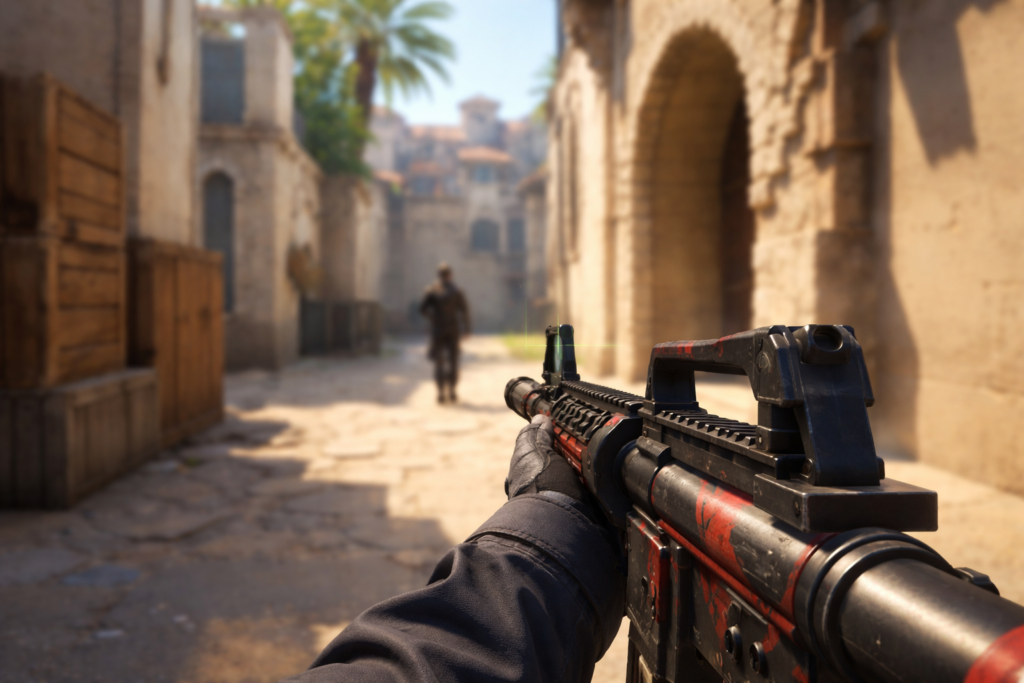
Every bullet counts in Counter-Strike 2. Your crosshair is the visual link between your aim and your target, whether you’re holding an angle, clearing a site or in a clutch situation. It’s common to see players spend hours tweaking their sensitivity and practicing aim routines, but ignore one of the most important settings in the game: their crosshair.
The right CS2 crosshairs can improve visibility, enhance consistency, and help players react faster in high-pressure situations. Professional players spend significant time optimizing their settings, and crosshair customization remains one of the simplest ways to improve your overall gameplay experience.
With Counter-Strike 2 still in development, players are always looking for good crosshair settings that pros and top-ranked players use. Fortunately, there are dedicated resources that make finding, copying, and testing the best crosshair settings easier than ever.
Understanding CS2 Crosshairs
The aiming reticle in the center of your screen is called a crosshair. It helps you know where your bullets go . It is a vital visual reference during gameplay . In Counter-Strike 2 there are multiple customisation options that let players change:
- Size
- Gap Thickness
- Contents
- Color Transparency
- Dynamic behaviour
- Center dot settings
These options enable players to mix and match almost infinitely, allowing them to create a crosshair that suits their individual tastes and playstyle.
But trial and error can be time consuming to find the perfect setup. This is why a lot of players prefer to browse professional crosshair databases with proven configs.
The Impact of Crosshair Choice on Performance
Although a crosshair won’t magically improve mechanical skill, it can significantly influence comfort and consistency.
1. Improved Visibility
A well-designed crosshair remains visible against different map environments. Bright colors such as cyan, green, or magenta often stand out better against common textures found in CS2 maps.
2. Better Precision
Smaller crosshairs generally encourage precise aiming and accurate headshots. Players who focus on rifling often prefer compact designs that provide a clear view of opponents.
3. Faster Target Acquisition
When a crosshair is easy to track visually, players can identify targets more quickly and react with greater confidence.
4. Reduced Distractions
Overly large or dynamic crosshairs may become distracting during firefights. Many professional players opt for minimalist setups that maintain focus on enemy movement rather than crosshair animation.
Popular Types of CS2 Crosshairs
Not all crosshairs are created equal. Different styles suit different players and scenarios.
1. Static Crosshairs
Static crosshairs remain unchanged regardless of movement or shooting. They are widely used by professional players because they provide a consistent visual reference. Benefits include:
- Predictable appearance
- Minimal distraction
- Greater consistency
2. Dynamic Crosshairs
Dynamic crosshairs expand and contract depending on movement and firing actions. Advantages include:
- Visual feedback about movement accuracy
- Helpful for beginners learning recoil control
However, many competitive players disable dynamic behavior due to its distracting nature.
3. Dot Crosshairs
Some players prefer a simple center dot instead of traditional lines. Benefits:
- Minimal screen obstruction
- Excellent for precision aiming
Drawbacks:
- Can be difficult to track during intense engagements
4. Hybrid Crosshairs
Hybrid configurations combine multiple elements, such as a center dot with short static lines. These setups attempt to balance visibility and precision.
Why Professional Players Continuously Adjust Their Crosshairs
Even elite players occasionally change their crosshair settings. This doesn’t mean there is a universally perfect crosshair. Instead, different factors influence preferences:
- Monitor size
- Resolution
- Aspect ratio
- Visual comfort
- Personal aiming style
- Team role
An aggressive entry fragger may prefer a smaller crosshair for precise headshots, while an AWPer might use a setup optimized for quick target acquisition.
The key lesson is that experimentation remains important. Finding a comfortable crosshair can significantly improve confidence during matches.
How to Copy Professional CS2 Crosshairs
Counter-Strike 2 has made it easy to share crosshairs with import codes. Now players will be able to copy pro setups immediately without having to type in console commands. This has been a lot easier to test crosshairs. Instead of spending time tweaking individual settings, players can:
- Find a pro crosshair code.
- Copy code to CS2.
- Test the setup in game.
- Minor changes are okay if required.
This process enables players to test out different styles quickly, before finding their preferred setup.
The Best Resource for Finding CS2 Crosshairs
One of the biggest challenges for players is finding reliable and updated crosshair information. Many websites provide outdated settings or incomplete data. MetaOne has become a valuable destination for players seeking high-quality CS2 crosshairs. Their dedicated crosshair resource offers a convenient way to explore crosshair codes from professional players, streamers, and top competitors.
What makes the platform particularly useful is its focus on accessibility and organization. Instead of searching across multiple forums or videos, users can browse a curated collection of crosshair settings in one location. Benefits of using a specialized crosshair database include:
- Quick access to professional setups
- Easy copy-and-paste functionality
- Regularly updated information
- Simplified comparison between players
- Faster experimentation process
For players looking to optimize their settings, having access to a comprehensive crosshair library can save countless hours.
Tips for Choosing Your Ideal Crosshair
Start with Professional Settings
Professional players often use configurations refined through years of competitive experience. These setups provide an excellent starting point.
Prioritize Visibility
Choose colors that remain visible across all maps and lighting conditions.
Popular options include:
- Cyan
- Green
- Yellow
- Magenta
Keep It Simple
Many successful players use relatively small and minimal crosshairs. Avoid excessive visual clutter whenever possible.
Test in Real Matches
A crosshair may feel perfect on an aim training map but uncomfortable during competitive gameplay. Always test settings in realistic match situations.
Make Incremental Adjustments
Rather than completely redesigning your crosshair, make small changes and evaluate the results over several matches.
Common Crosshair Mistakes to Avoid
- Copying Without Testing: A pro player’s crosshair may not suit your monitor, resolution or aiming style.
- Using Oversized Crosshairs: Large crosshairs can obstruct vision and reduce precision during long-range engagements.
- Constantly Changing Settings: Frequent adjustments prevent muscle memory development. Once you find a comfortable setup, stick with it long enough to evaluate performance properly.
- Ignoring Color Contrast: A crosshair that blends into the environment can reduce reaction speed and accuracy.
How Crosshairs Complement Other Settings
Crosshairs work best when combined with optimized game settings. Players should also consider:
- Mouse sensitivity
- Resolution
- Aspect ratio
- Viewmodel settings
- Graphics configuration
Together, these settings create a complete competitive environment that supports consistent performance. A great crosshair alone won’t transform gameplay, but it becomes much more effective when paired with a comfortable overall setup.
The Future of CS2 Crosshair Customization
Counter-Strike 2 still has millions of players around the world, and customisation is still a major part of the experience.
As the competitive scene evolves, players will keep experimenting with new crosshair styles and share what works. Resources that gather and systematise these setups will become more and more valuable for both beginners and seasoned competitors.
Platforms like MetaOne simplify this process by providing easy access to professional crosshair settings, allowing people to find configurations that suit their individual needs.
Frequently Asked Questions (FAQs)
1. What are the best CS2 crosshairs for beginners?
Simple static crosshairs with good visibility, such as green or cyan, are ideal for beginners.
2. How do I import a CS2 crosshair code?
Go to Settings > Crosshair > Share or Import, then paste the crosshair code and apply it.
3. Do all professional players use the same crosshair?
No, professional players use different crosshairs based on their preferences and playstyles.
4. Can a better crosshair improve my aim?
A suitable crosshair can improve visibility and consistency, helping you aim more comfortably.
5. Where can I find professional CS2 crosshair settings?
You can find and copy pro player crosshair settings from MetaOne’s CS2 crosshair database.
Final Thoughts
Choosing the correct CS2 crosshair is one of the easiest ways to improve your gaming experience. There is no such thing as a perfect crosshair but the best crosshairs are visible, help with precise aiming and are comfortable for long gaming sessions.
If you’re a new Counter-Strike 2 player, or you’re trying to climb the competitive ladder, trying out pro crosshair settings can speed up your progress. Instead of guessing, you can use a reliable resource like the CS2 crosshair database from MetaOne to test proven setups quickly and efficiently.
At the end of the day, the best crosshair is the one that lets you confidently aim, react consistently, and perform at your best whenever you hop into the server.