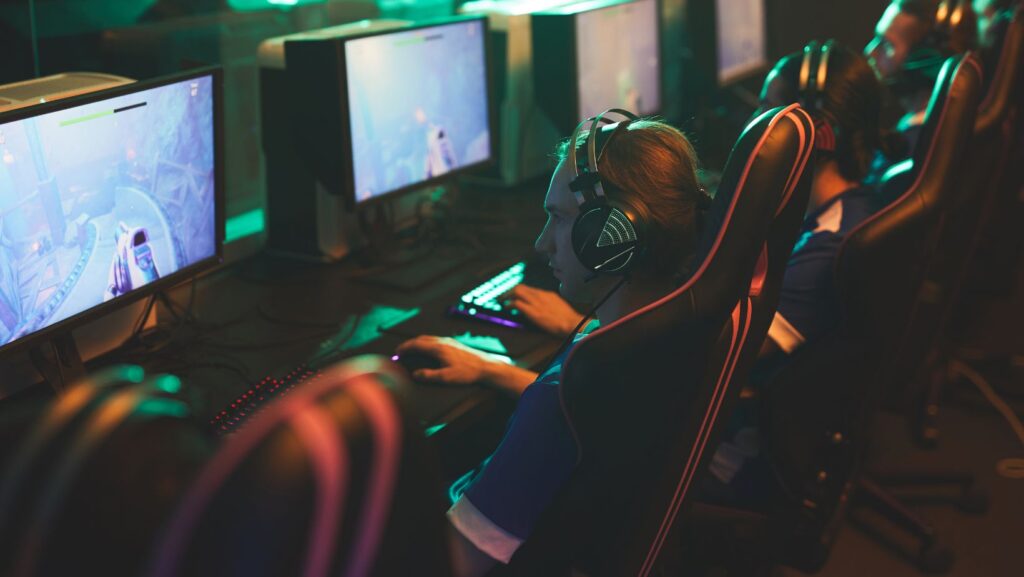

Portable gaming monitors have become essential gear for the modern gamer. Whether you’re grinding ranked matches at a friend’s house, traveling with a handheld PC, or setting up a backup display for your streaming setup, a solid portable monitor can transform your experience. The market in 2026 is packed with options that deliver real 240Hz+ refresh rates, minimal input lag, and durability that doesn’t sacrifice performance for portability. This guide cuts through the noise to help you find exactly what you need, no fluff, just specs that matter and honest recommendations based on your actual use case.
Key Takeaways
- A portable monitor for gaming should prioritize 144Hz–240Hz refresh rates and sub-3ms input lag for competitive performance, with 144Hz being the practical sweet spot for most gamers in 2026.
- The $250–400 mid-range price tier offers the best value for gaming-grade portable monitors, delivering 1080p@144Hz IPS panels with solid build quality and USB-C connectivity without premium pricing.
- Verify USB-C video output compatibility with your device before purchasing—not all laptops and consoles support video over USB-C, and some require HDMI adapters or connections.
- Build quality matters as much as specs: aluminum frames, reinforced ports, and stable stands separate durable portable monitors from fragile returns, so prioritize durability testing reviews.
- A 15.6-inch portable monitor at 1080p resolution balances screen real estate with transportability, while displays under 2 pounds remain practical for backpack travel and handheld PC gaming.
- Competitive esports players should invest $400–600 in 240Hz monitors with tournament-grade reliability, while casual gamers benefit more from 144Hz displays with better color accuracy and additional features.
What Makes A Great Portable Gaming Monitor
Display Quality And Refresh Rates
Refresh rate is where portable gaming monitors prove their worth. A 60Hz display feels sluggish if you’re used to competitive gaming, while 144Hz+ delivers the snappy responsiveness that separates wins from losses. In 2026, the sweet spot sits between 144Hz and 240Hz for most gamers, anything higher demands a GPU that can consistently feed frames, which defeats the portability advantage.
Color accuracy matters too, though it plays second fiddle to refresh rate for gaming. IPS panels offer better viewing angles and color reproduction than TN panels, making them ideal if you’re sharing your screen or streaming. VA panels sit in the middle, providing decent color with better contrast than IPS. Most quality portable gaming monitors ship with 95-99% sRGB coverage, which is plenty for gaming without being overkill.
Brightness shouldn’t be overlooked. A 300+ nits display handles well-lit rooms and outdoor setups, while sub-250 nits leaves you squinting in anything but a dark room. HDR support is emerging in premium portable monitors but remains uncommon, nice to have, not essential.
Portability And Build Design
Portability goes beyond just weight. A 15.6-inch display weighing 2 pounds means nothing if the stand is garbage or the bezels are fragile. Look for aluminum frames, reinforced ports, and stable kickstand designs that don’t wobble under keyboard vibration. Some monitors use a hybrid stand-cover combo that doubles as protection during transit.
Build quality separates the keepers from the returns. Flimsy bezels crack in bags. Plastic hinges snap. Port covers that don’t seal properly invite dust into USB-C connectors. Gaming sites like RTINGS have detailed breakdowns of durability testing that reveal which monitors survive real-world use versus which ones fail after a few trips.
Thickness and weight matter for different scenarios. A 3mm-thick display mounted on a monitor arm takes up zero desk space. A 10mm monitor with a built-in stand works standalone. Weight under 2 pounds suits backpack travel: 2-3 pounds fits a laptop bag without strain.
Connectivity Options
USB-C has become the de facto standard, and for good reason, it handles video, power, and data over a single cable. But not all USB-C implementations are equal. Thunderbolt 3 or 4 ports guarantee compatibility with modern laptops and provide better bandwidth for high refresh rates at high resolutions.
HDMI ports are less common on portable monitors but valuable if you’re connecting to older consoles or setups that lack USB-C video output. Some premium models include both USB-C and mini HDMI for maximum flexibility. Always confirm your intended device has the matching connector, don’t assume compatibility.
Power delivery specs matter. A monitor that requires separate USB power and HDMI input splits your laptop’s connectivity. Models with full USB-C support (video + power delivery) let you run everything through one port, though you’ll sacrifice charging speed depending on the monitor’s power draw. Most gaming-grade portable monitors pull 15-25W, leaving enough power delivery bandwidth for laptop charging on higher-wattage adapters.
Key Specifications To Compare
Screen Size And Resolution
Screen size for portable monitors clusters around 13.3, 15.6, and 17.3 inches. The 15.6-inch sweet spot balances screen real estate with transportability, large enough for comfortable gaming, small enough to fit a laptop bag. Anything under 13 inches feels cramped for extended sessions: anything over 17 inches sacrifices true portability.
Resolution depends on your use case. 1080p remains the standard and pairs well with 144Hz+ refresh rates on portable panels. 1440p is emerging but demands more GPU power to achieve high refresh rates, fine for single-player gaming or esports titles with lower graphical demands, risky for AAA games on mid-range GPUs. 4K on a portable monitor is marketing nonsense for gaming: the GPU requirement explodes and you’re better off playing on your main setup.
1920×1080 resolution at 15.6 inches gives you about 142 pixels per inch, which is sharp enough that individual pixels disappear at normal viewing distances. This is the baseline recommendation.
Response Time And Input Lag
Response time measures how fast a pixel changes color and directly impacts perceived smoothness. Below 5ms is excellent: under 1ms is overkill marketing. What matters more for gaming is input lag, the delay between your input and the display updating. This gets measured in frames, and anything under 5ms (0.3 frames at 60Hz) is imperceptible. Most quality gaming portable monitors hit 1-3ms input lag.
TN panels typically have lower response times than IPS panels, though modern IPS tech has narrowed the gap significantly. For competitive shooters, the difference between 1ms and 5ms is measurable: for everything else, it’s not worth sacrificing color accuracy.
Check detailed testing from TechSpot’s gaming monitor benchmarks to see real input lag measurements rather than manufacturer specs, which often understate the actual number.
Power Requirements And Battery Life
Portable gaming monitors don’t have internal batteries, they draw power through their USB-C connection. This means your host device powers both the monitor and itself, which can drain a laptop battery fast. A typical portable monitor pulls 10-25W depending on brightness and refresh rate.
Calculate realistically: if your laptop battery provides 50Wh and your setup draws 50W total (laptop + monitor), you’re looking at about an hour of gaming before dead battery. This isn’t a monitor limitation: it’s physics. Plan accordingly by bringing a power adapter or a high-capacity USB-C power bank rated for video output.
Some newer portable monitors advertise lower power consumption by dynamic dimming or refresh rate switching, which helps but doesn’t eliminate the fundamental issue. The tradeoff is unavoidable unless you’re plugged in.
Portable Gaming Monitors For Different Use Cases
Competitive Esports Players
Esports players prioritize three things: refresh rate, input lag, and reliability. You need 240Hz minimum to keep up with your GPU’s output in fast-paced titles. Input lag must be sub-3ms to avoid losing duels that should’ve been yours. Build quality matters because a monitor failure mid-tournament is a disaster.
For esports setups, look at monitors specifically engineered for speed. Brands like ASUS and MSI have portable gaming lines with 240Hz panels, IPS color accuracy for streaming, and tournament-grade reliability. These cost more, $400-600, but eliminate guesswork. You’re paying for consistency and performance under pressure.
USB-C connectivity is essential here. You want a single cable running to your gaming laptop or mini PC. Dual HDMI or USB-C confusion introduces setup errors during crucial moments. Simplicity wins.
Casual Gaming And Entertainment
Casual gamers have more flexibility. 144Hz is plenty for PlayStation, Nintendo, or relaxing PC gaming sessions. Color accuracy becomes more important because you’re probably watching movies and streaming content alongside gaming. An IPS panel at 144Hz with 99% sRGB coverage handles both beautifully.
Build quality still matters, but durability takes a backseat to features. A lighter weight (under 2 pounds) and integrated speakers (surprisingly common now) add convenience without very costly. Price range here is $200-350, where quality options abound from established brands.
Flexibility in connectivity matters more. You might alternate between a Switch, PS5, and PC, so HDMI + USB-C input options prevent the need for adapters. Some casual setups benefit from a monitor with adjustable color presets, game mode, cinema mode, etc., though these are usually gimmicks.
Mobile And Handheld Gaming
This is where handheld gaming PCs like Steam Deck and ROG Ally shine with portable monitors. These devices have lower power output, so you need monitors optimized for lower GPU bandwidth. 1080p at 144Hz over USB-C is the practical limit: 240Hz introduces compromises on color or brightness to reduce power draw.
Portability becomes paramount. Sub-1.5 pounds is ideal because you’re carrying it alongside your handheld. Build quality matters enormously, dropping a 15.6-inch panel is expensive. Aluminum frames and protective covers aren’t luxuries: they’re insurance.
When traveling with a handheld and portable monitor, you want a single USB-C cable handling everything. Power delivery for charging becomes secondary because these devices already have batteries. Fast charging is nice but not critical if you’re planning downtime anyway.
Current handheld PC gaming has become viable enough that the ultimate guide to, showing the ecosystem has matured beyond niche territory.
Setup And Compatibility Guide
PC And Console Connection Methods
USB-C video output works on most modern laptops and gaming tablets. But, confirm your specific model supports video output via USB-C, not every device does. Check your device’s manual or specs sheet. Desktop PCs typically lack USB-C video output, so they need adapters (USB-C dock or Thunderbolt dock) to connect to portable monitors.
Consoles vary wildly. PlayStation 5 and Xbox Series X don’t have USB-C video: you’ll need an adapter or a monitor with HDMI input. Nintendo Switch connects via USB-C but splits power and video concerns, you can’t charge and display simultaneously on Switch without external power management. This is a real limitation worth planning around.
Mac devices with Thunderbolt 3 or 4 work seamlessly with quality portable monitors. M-series Macs especially benefit because they drive high refresh rates with minimal battery drain. Windows laptops are hit-or-miss: confirm Thunderbolt 3/4 support specifically, not just “USB-C.”
Android tablets with USB-C video output exist but remain rare. Most android devices lack video output capabilities, limiting portable monitor utility. Always test compatibility before purchasing.
Ergonomic Setup Tips For Extended Gaming
A portable monitor’s height relative to eye level matters. Most people set them too low, causing neck strain during extended sessions. The monitor should sit so the top of the screen is at or slightly below eye level when you’re seated naturally. A simple monitor arm or adjustable stand fixes this immediately.
Distance from your eyes affects comfort dramatically. Portable monitors should sit 18-24 inches away, close enough to see details, far enough that your eyes don’t fatigue from focusing. This determines the practical screen size: a 13-inch monitor at 24 inches feels cramped, while a 17-inch monitor at that distance demands wider viewing angles (favor IPS).
Lighting and glare impact gameplay more than most realize. Position the monitor perpendicular to windows to minimize glare. If you’re using a portable monitor outdoors or in bright rooms, 300+ nits brightness is non-negotiable. Matte anti-glare coatings help but reduce image clarity slightly, usually a worthwhile tradeoff.
Temperature management is overlooked. Portable monitors draw power and can run warm, especially under sustained high brightness and high refresh rates. Ensure ventilation around the monitor’s rear vents. Running at 70% brightness instead of 100% drops thermals noticeably and extends component lifespan without sacrificing usability in most lighting conditions.
Cable management seems trivial but makes a difference. A single USB-C cable handling both video and power keeps your setup clean and reduces accidental disconnections. If you’re using multiple cables, organize them with velcro straps or sleeves to prevent tangling and stress on connectors.
Price Range And Value Comparison
Budget Friendly Options
Under $250, you’re looking at solid 1080p displays at 60-75Hz. These work fine for casual gaming and secondary displays, but don’t expect gaming-grade response times or color accuracy. Brands like pepper jobs and UPERFECT populate this tier, offering decent build quality for the price.
The catch: 60Hz feels noticeably sluggish if you’re upgrading from a 144Hz+ monitor. These are best suited for non-competitive gaming, streaming reference displays, or productivity. Build quality is hit-or-miss: read recent reviews carefully before committing.
Budget monitors often skimp on brightness (200-250 nits) and connectivity options. USB-C-only input means limited device compatibility. Response times hover around 5-8ms, acceptable but not ideal. Power consumption is usually lower due to weaker components, which is one genuine advantage.
Mid Range Sweet Spot
$250-400 is where gaming portable monitors actually start making sense. This range covers 144Hz displays with IPS panels, solid build quality, and proper gaming-focused features. Brands like ASUS, Lenovo, and newer players like Eviciv and Innocn deliver real value here.
You’ll get USB-C with full video + power delivery support, bright displays (300+ nits), and response times under 3ms. These monitors handle competitive gaming without the price premium of esports-tier hardware. The compromises are minor: perhaps no Thunderbolt 4 support or dual input options, but nothing that cripples functionality.
This tier offers the best value-to-performance ratio. Most gamers should land here unless budget is unrestricted or your use case demands esports-grade specs. The difference between $300 and $500 is marginal for most players.
Premium Choices For Serious Gamers
Above $500, you’re paying for reliability, tournament-grade performance, and features that matter only to competitive players or professionals. 240Hz refresh rates, Thunderbolt 4 support, dual USB-C + HDMI inputs, and aluminum chassis construction justify the cost for specific use cases.
Brands like ASUS ProArt and MSI Oculux occupy this space. These monitors have been stress-tested in professional environments and proven durable. They typically include superior color grading tools, modular stands, and better warranty support. If your portable monitor is business-critical or competitive-grade, this tier eliminates doubt.
Premium monitors rarely include speakers, dock compatibility, or gimmick features. They’re stripped-down performance machines. For serious competitive gaming, that’s exactly what you want. For casual use, you’re overpaying. Match your tier to your actual needs.
Common Pitfalls And How To Avoid Them
Avoiding Low Quality Displays
Fake refresh rate claims happen more than they should. A monitor might advertise 144Hz but use backlight strobing or motion smoothing tech to fake smoothness. True 144Hz means the panel physically refreshes 144 times per second, confirmed by hardware testing. Check TechRadar’s gaming hardware reviews for verified specifications rather than trusting manufacturer marketing.
Color banding is a hidden killer on cheap panels. If gradients look posterized or steppy instead of smooth, the panel is using 6-bit color instead of 8-bit. This ruins visual quality but isn’t obvious until you see it on screen. Buy from retailers with good return policies so you can test before committing.
Poor black levels and washed-out colors often indicate a low-quality IPS panel or TN panel with poor calibration. Avoid panels that look bright but lack contrast. Gaming benefits from decent shadow detail, especially in competitive titles. Again, detailed testing from RTINGS shows these issues clearly.
Dead pixels aren’t acceptable in 2026. If your monitor arrives with dead pixels, return it immediately. Most manufacturers have a zero-tolerance policy, so don’t accept “a few is normal.” They’re not.
Checking Compatibility Before Purchase
Before buying, confirm your device outputs video via its USB-C port. Check your device’s official specs. Don’t assume: verify. If you’re connecting a console, confirm it’s not limited to HDMI input, or ensure your monitor has HDMI.
Resolution compatibility matters too. Your GPU must support the monitor’s resolution at your desired refresh rate. Running a 1440p@144Hz monitor on an RTX 3060 is possible in esports titles but painful in AAA games. Match your hardware to realistic expectations.
Power delivery constraints matter for laptop users. If your laptop charger provides 60W and your setup draws 70W (laptop + monitor), you’re drawing from battery even while plugged in. Confirm your power adapter’s wattage exceeds your total system draw.
Test the return policy before purchase. If the monitor doesn’t meet your expectations or has compatibility issues you didn’t anticipate, you need an easy way out. Reputable retailers offer 30+ day returns: shady sellers do not.
Read recent user reviews focusing on longevity. A monitor might arrive perfect but develop issues after months. Long-term reliability reviews reveal common failure modes. Scroll past the 5-star and 1-star extremes and focus on 3-4 star reviews that describe real-world use.
Consider the ultimate gaming PC desk guide as a complementary resource when planning your portable monitor setup, as desk configuration impacts display performance and usability significantly.
Conclusion
Portable gaming monitors have matured enough in 2026 that finding a quality option matching your needs is straightforward if you know what to prioritize. Competitive esports players should focus on 240Hz refresh rates and sub-3ms input lag, accepting the higher cost as necessary. Casual gamers benefit more from the mid-range sweet spot, 144Hz IPS panels at $250-400 deliver real value without premium pricing. Mobile gamers need lightweight, durable builds optimized for handheld device power constraints.
The key is matching your actual use case to the specs that matter. Ignore marketing fluff like curved bezels or RGB lighting and focus on refresh rate, input lag, build quality, and connectivity options. Test compatibility before purchasing, confirm your GPU can feed the frames you’re paying for, and buy from retailers with solid return policies.
2026 is a buyer’s market for portable gaming monitors. You’ve got options at every price tier backed by genuine performance improvements over previous generations. Whether you’re upgrading from a 60Hz secondary display or building your first true gaming-grade portable setup, the right monitor is out there, you just need to know what to look for.